Designed a major feature to incorporate answers for contract analysis across an enterprise platform, which was rolled out to all enterprise customers. (2018-2020)
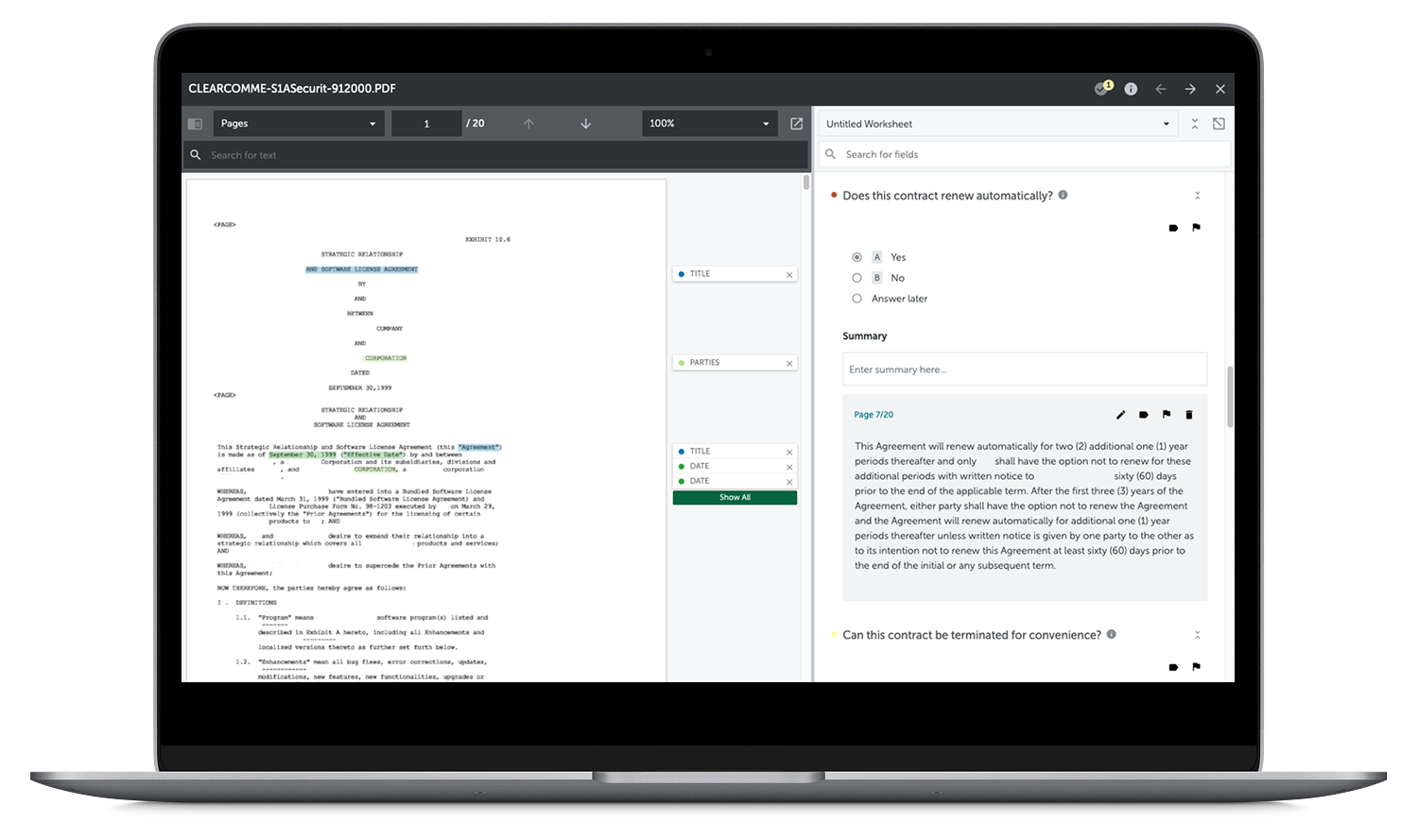
Before LLMs became commonplace, AI software was already being used in legal technology for conducting document review. Within mergers and acquisitions (M&A), lawyers needed to comb through large amounts of contracts and other documents to find any critical risk factors. This process was finding a needle in a haystack. Lawyers would often only have time to manually review a subset of all the contracts involved.
This was the landscape I stepped into when I joined a legal tech startup that used machine learning to speed up the review process. This was still early days for AI adoption, and skepticism was common. A key capability was giving lawyers the ability to train their own models, rather than relying solely on built-in ones trained by our in-house legal engineers. The product already had the capability to surface text across large document sets and the data scientists and software engineers were working towards a new feature to further interpret that text as an answer (structured data).
As the design lead for this new feature, the challenge was how to scale up the entire platform to incorporate these "answers" to feel like a natural extension of the review process and not disrupt current workflows. For instance, lawyers would need to train their own proprietary models for answers in a way that felt similar to the text version even though the underlying structure was different.
The startup was growing rapidly and we were over the 200-person mark. More operational structure was taking shape and team processes were constantly evolving. I was on a newly formed cross-functional team that included a product manager, UX researcher, quality assurance engineer, and software engineers. We were given a large, ambiguous scope that could go in many directions. The technology was not yet ready, so we were working with assumptions. There was a design system but also pre-existing legacy UI.
At the beginning, I collaborated closely with the product manager to define the value proposition of the feature and to break down the large scope into eight sub-projects that were manageable to deliver. Each sub-project coincided with an area of the application that needed to incorporate 'answers' such as model training, document review, and export. The hardest part was to avoid scope creep. At the same time, I worked to keep communication about each scope aligned with the bigger picture so no sub-project lost sight of the end goal.
Throughout the process, some of my team members tended to process designs quietly and didn't always speak up until later on in the development process. It wasn't that they weren't interested in the upstream process, sometimes they just needed time to absorb, digest, and think before being ready to offer feedback. I provided alternative ways to get more direct feedback through written feedback and 1:1 discussions.
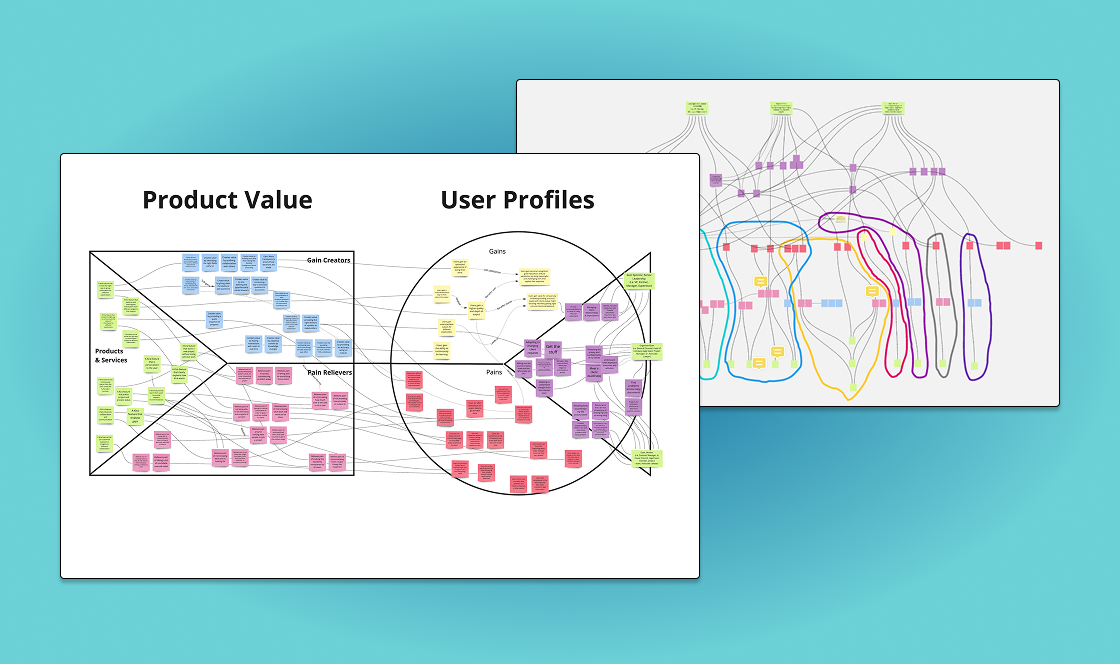
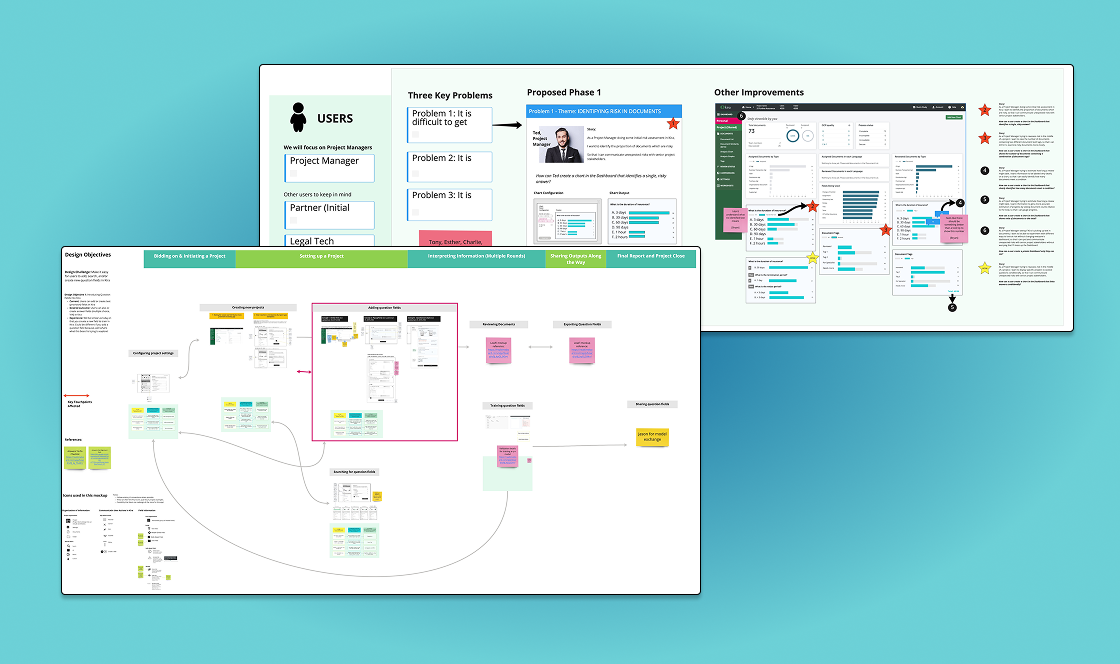
Defining value proposition
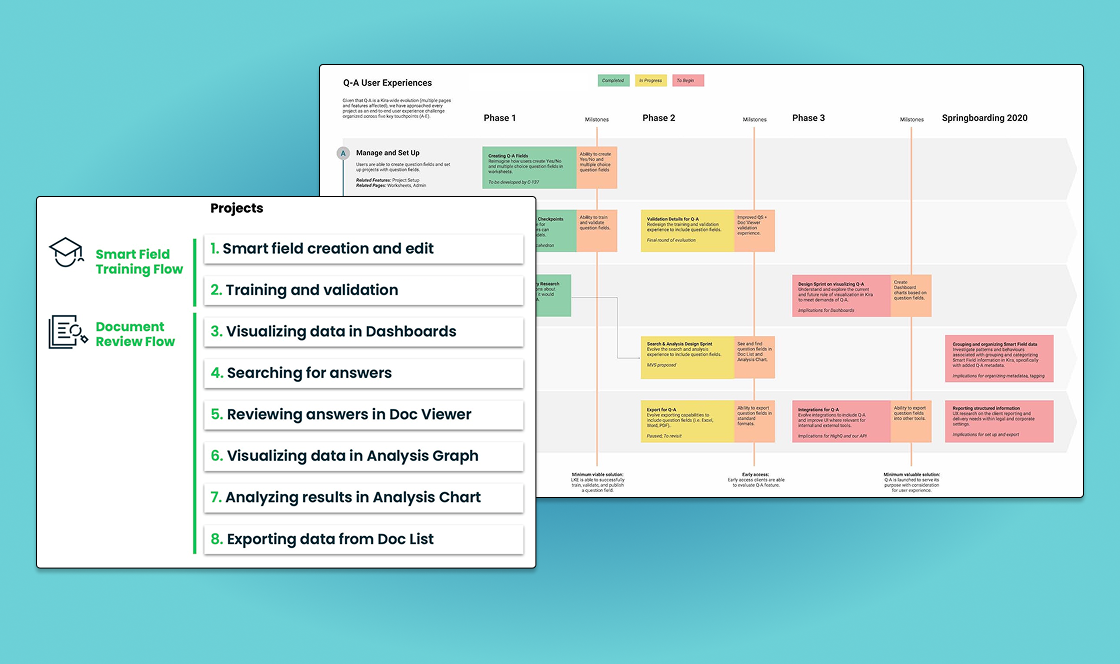
Planning and early discovery
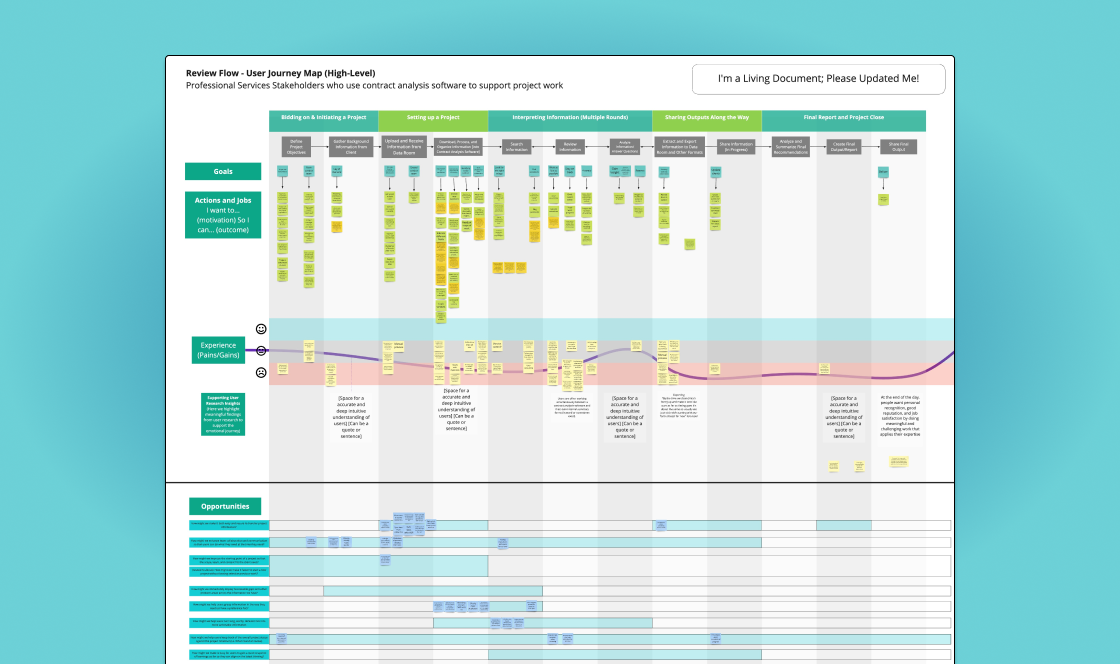
High level journey for bigger picture context
Sub-flows for each project
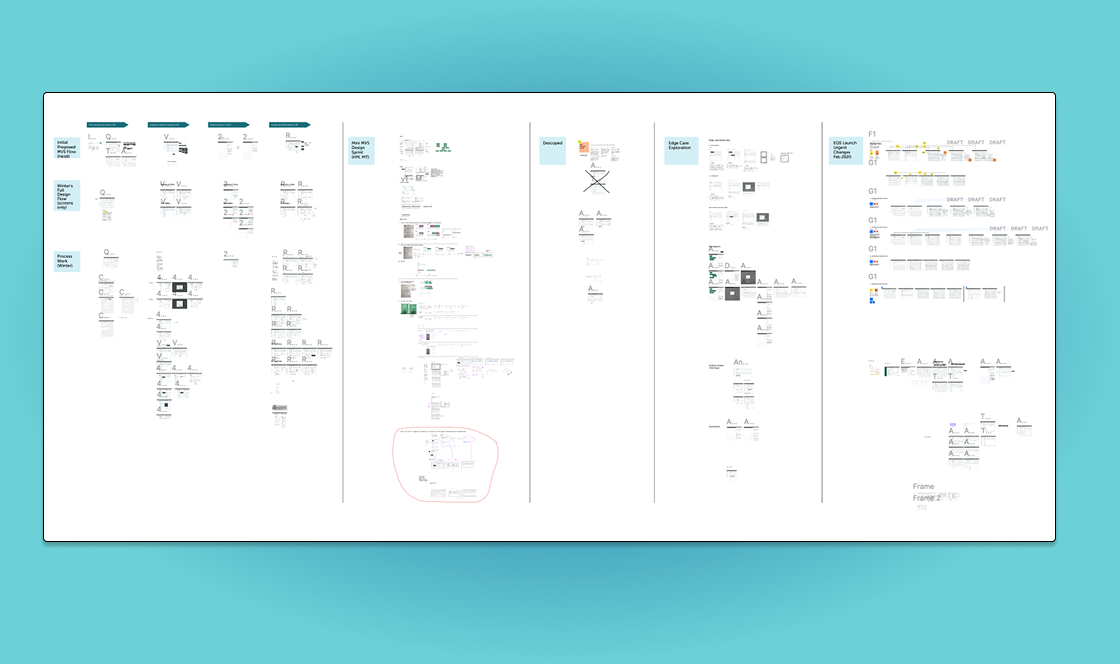
Example of sandbox design exploration
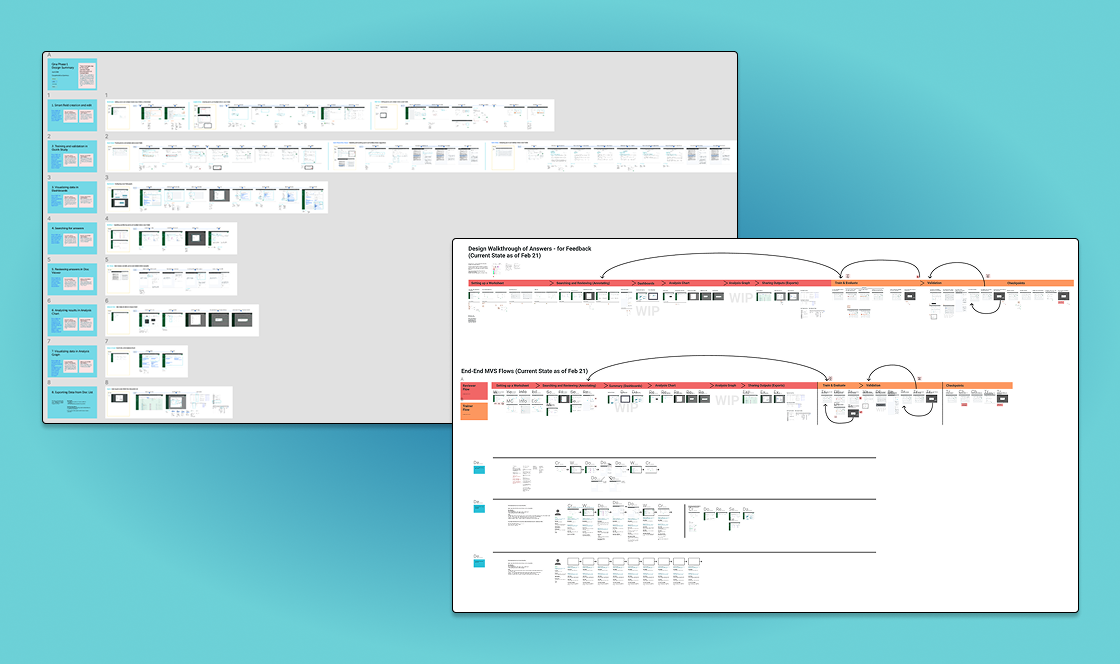
Walkthrough of high-fidelity designs
A few specific design decisions stood out as critical.
There was initially skepticism around how to distinguish between AI-generated answers and a reviewer’s answers. Lawyers trust the expertise of other legal experts but will not blindly trust an AI system. A clear distinction was needed between human and machine, resulting in the phrasing of suggestions to indicate machine-generated responses as secondary to human-verified answers.
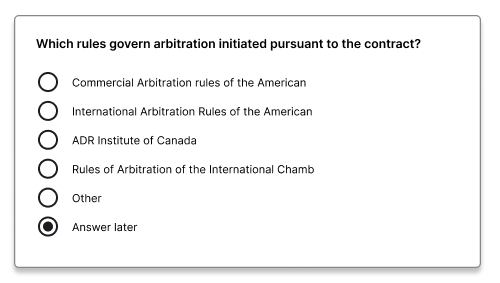
Reviewers sometimes needed to skip a document and return to it later, but the original design had no way to accommodate this. When none of the trained answers were applicable to a document, or additional review was needed by a senior associate, an important part of the workflow was to be able to mark that status. The final design included an option for a non-answer to accommodate different workflows. The default option to "Answer later" allowed reviewers to return to skipped answers.
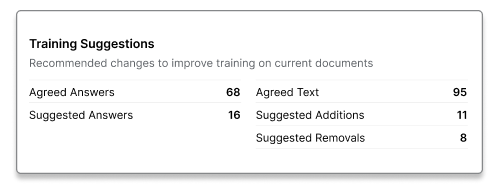
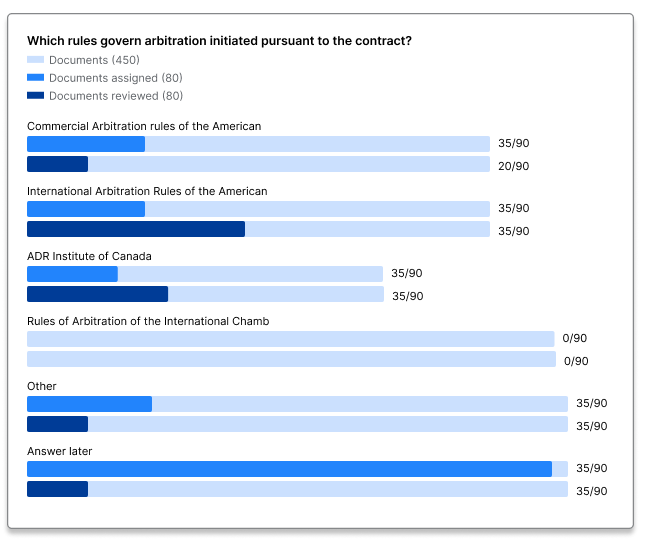
The main dashboard was initially designed for client reporting, but it was actually project managers who were using it most to summarize documents and assign work. They needed customized graphs based on their project so the graph creation UI was enhanced to incorporate answer outputs. Since the prior graphs did not display long text well, they were changed to horizontal bar graphs with high-contrast colours to differentiate between primary and secondary data.
Documenting each decision as we went proved just as important as making them.
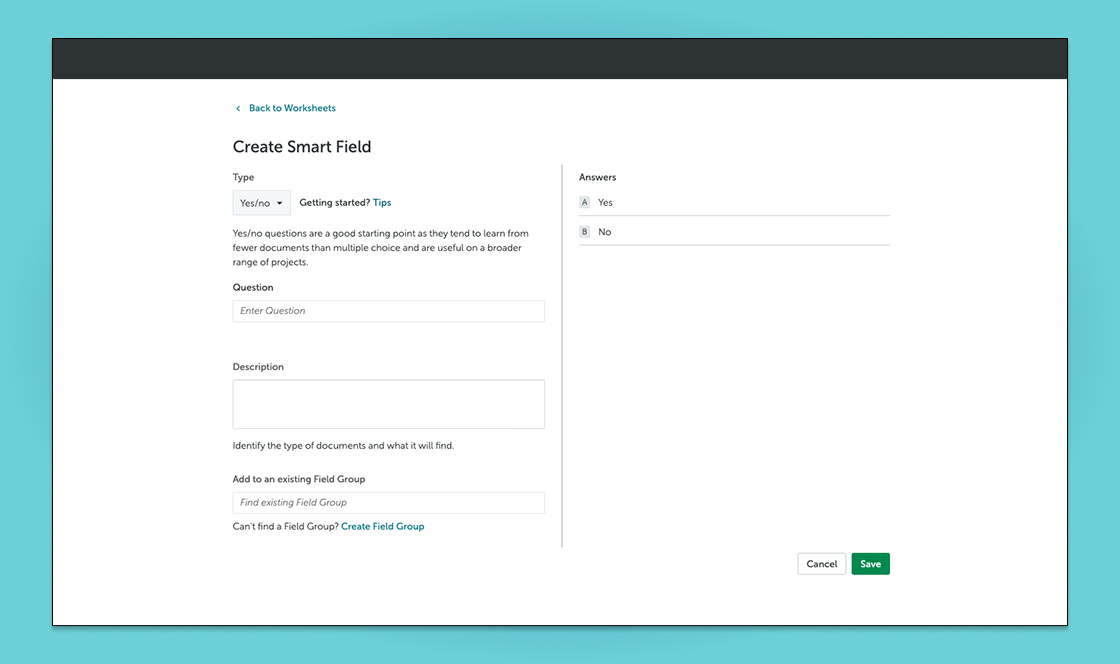
Step 1: Create Answer ML model
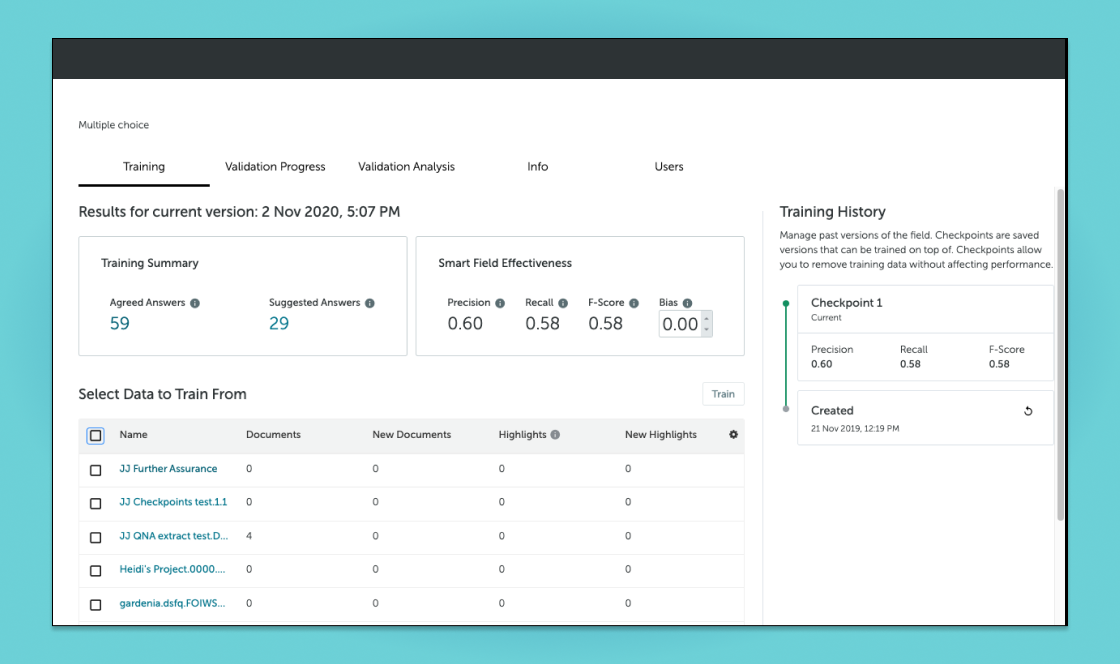
Step 2: Train Answer model
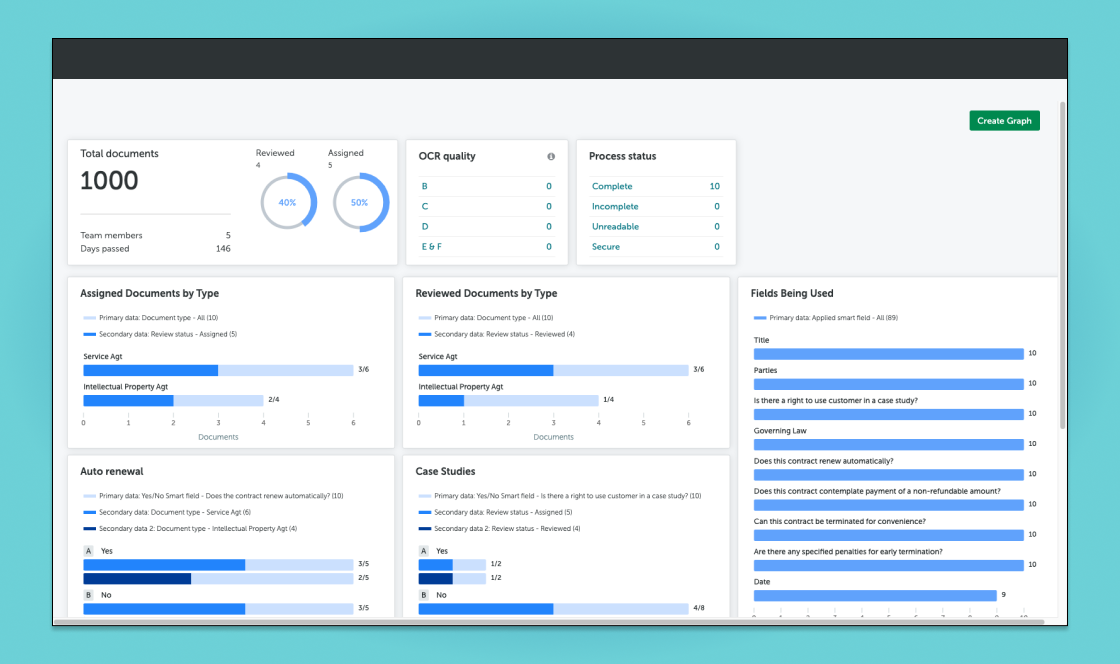
Step 3: Apply Answer model and view summary
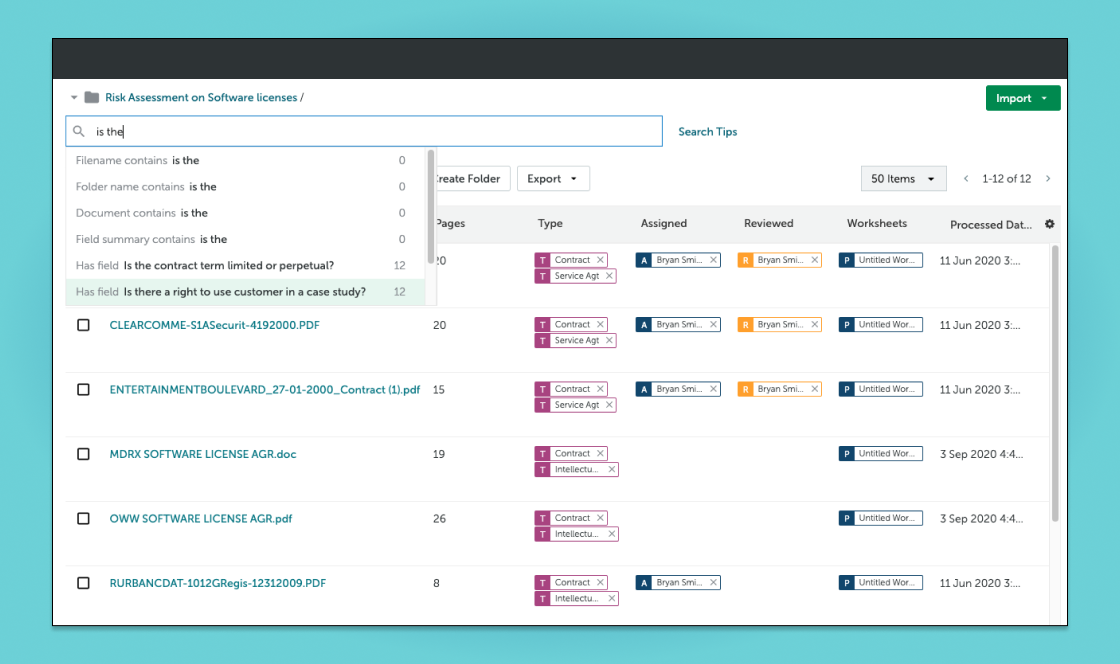
Step 4: Search for document results
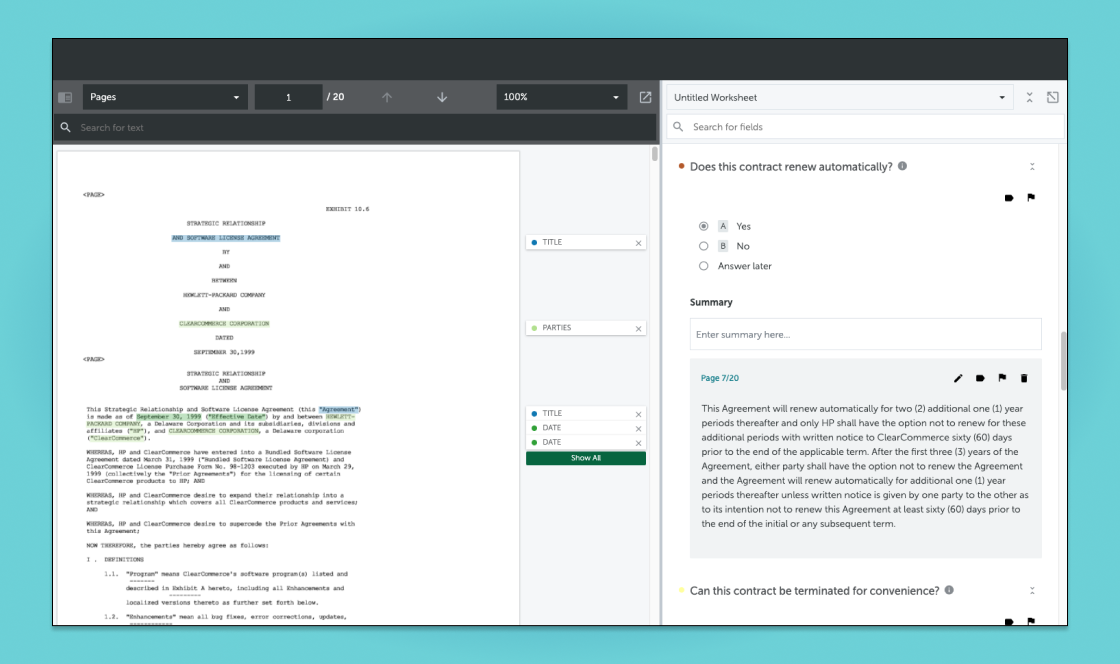
Step 5: Review results to validate answers
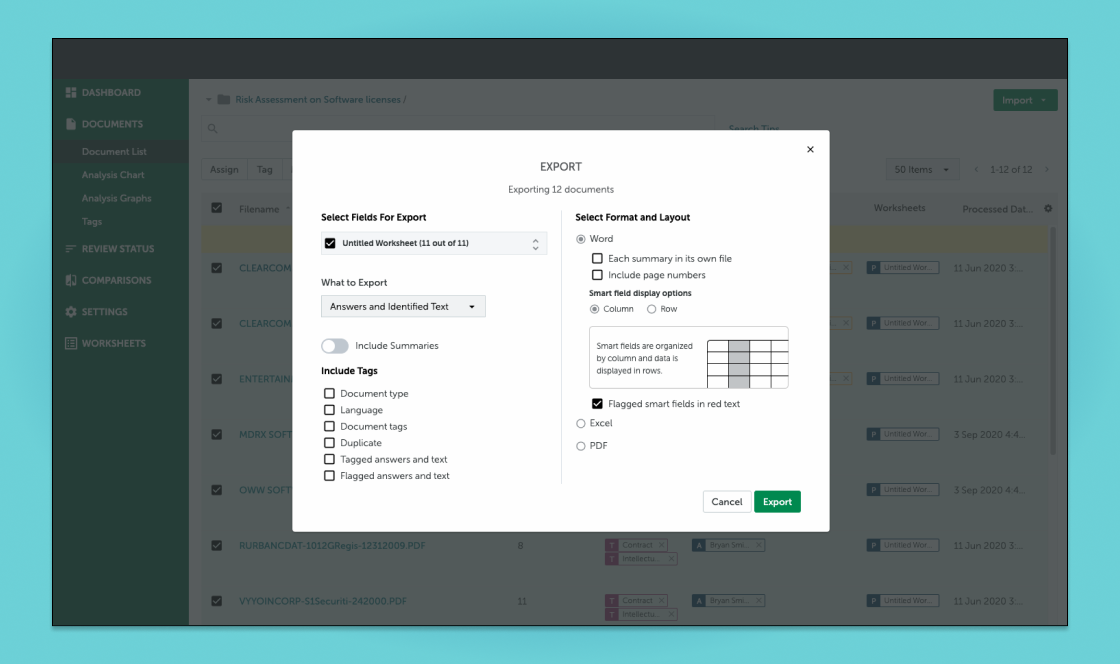
Step 6: Export answers in different formats
Once all of the sub-projects were built and tested, our team collaborated with internal customer success and sales teams on a go-to-market strategy. I took part in an early access program to get feedback and address some of the initial feature barriers.
While this was an industry-leading feature at the time, the AI has progressed in transformative ways. What began as structured answers has since evolved into AI-generated natural language summaries, a reflection of how far both the technology and the industry's trust in it have come.
